


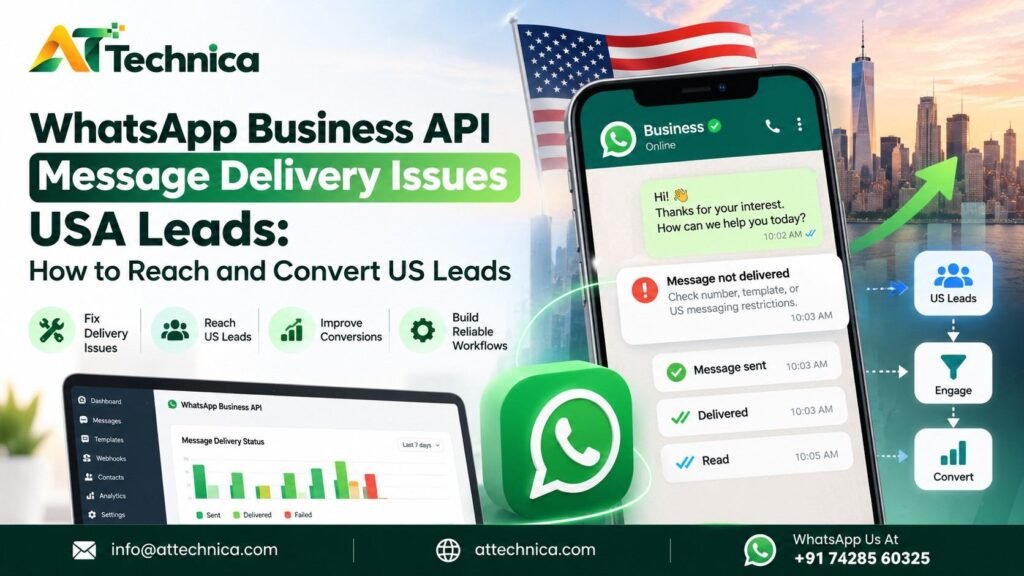
The first step is to identify exactly where the problem occurs. An API request that is accepted does not guarantee delivery, and a delivered message does not guarantee a reply or sale. Each outcome needs to be measured separately.
For US businesses, there is an additional consideration: Meta’s restriction on Marketing-category template messages to eligible US phone numbers. This makes it especially important to distinguish a platform restriction from a technical fault before changing integrations, retrying messages, or switching providers.
This guide explains how to diagnose WhatsApp delivery problems, check current US messaging limitations, and build a more reliable lead communication workflow.
What Are WhatsApp Business API Message Delivery Issues USA Leads?
The WhatsApp Business Platform allows businesses to send approved template messages, respond to customer-initiated conversations, and connect messaging to business applications. However, a message passes through several stages before it can produce a business result.
| Stage | What it means |
|---|---|
| API request accepted | The API accepted the request and returned a message identifier. |
| Sent | The message has progressed to the sent state in the platform’s status reporting. |
| Delivered | WhatsApp reports that the message reached the recipient. |
| Read | A read receipt is available, where supported and provided. |
| Replied or converted | The customer responds, becomes qualified, books a meeting, or completes a purchase. |
A successful API response is not proof that a recipient received the message. Likewise, a delivered message that receives no reply may indicate a targeting, timing, or content problem rather than a delivery failure.
Businesses should record the message ID, API response, timestamps, error details, and subsequent status events. The WhatsApp Business Developer Hub provides access to API documentation, webhooks, error codes, rate limits, and troubleshooting resources.
Why WhatsApp Business API Messages May Not Reach US Leads
1. Incorrect or invalid US phone numbers
A US lead’s number may be incomplete, mistyped, duplicated, or stored in an inconsistent format. A number containing the wrong country code can also be routed incorrectly.
What to check: Normalize numbers to international format, including the country code, and validate the stored data before sending. Do not assume every number beginning with +1 belongs to the United States; the code is also used by other countries and territories.
2. The recipient cannot receive the message
A number may not be registered on WhatsApp, may be unavailable, or may otherwise be ineligible for the intended communication. A number that looks valid in a CRM is not necessarily a reachable WhatsApp recipient.
What to check: Review the returned error and status details. Separate recipient eligibility problems from account-wide or country-specific restrictions.
3. Missing or unclear consent
Having someone’s phone number does not automatically mean they expect WhatsApp messages. A contact may have submitted a form for one purpose but never agreed to receive ongoing promotions through WhatsApp.
WhatsApp’s Business Messaging Policy requires businesses to have the recipient’s number and opt-in permission before contacting them, and to honor opt-out requests. Applicable US laws may impose additional requirements.
What to check: Store the consent source, date, stated purpose, and opt-out history. Make the wording on forms clear about what customers are agreeing to receive.
4. Rejected, paused, or miscategorized templates
Business-initiated messages outside the customer service window generally require an approved template. Templates can be rejected, paused, or assigned a category that differs from the one the business intended.
A promotional offer combined with an order update, for example, may be classified as Marketing rather than Utility.
What to check: Review the template’s actual category and status in the relevant business tools. Ensure the content matches its purpose rather than trying to label promotional content as transactional.
5. US-specific Marketing template restrictions
Meta began pausing delivery of Marketing-category templates to US WhatsApp recipients on April 1, 2025. Current provider documentation continues to report this restriction in 2026. It affects Marketing templates to US-based recipients; it should not be treated as a general failure of the WhatsApp API.
The public WhatsApp policy page does not fully document every country-specific delivery control, so teams should verify current behavior in Meta’s developer documentation and their account’s error details before launching a campaign.
What to check: Confirm the recipient’s actual country, template category, and returned error. If the restriction applies, repeated attempts or changing API providers will not remove it.
6. Account quality or messaging limits
Low-quality messaging, negative feedback, policy violations, or applicable sending limits can affect a business’s ability to send messages. A restriction may be specific to a business account rather than all US recipients.
What to check: Review WhatsApp Manager, template status, account notifications, and relevant quality indicators. Compare failures across recipient countries and message categories to identify the pattern.
7. Rate limits, credentials, or API configuration errors
A token may expire, permissions may be missing, or an application may use the wrong phone-number ID or endpoint. High request volume can also trigger rate limiting or throughput errors.
What to check: Record the complete API response, verify authentication and permissions, and compare recent deployment changes against the current Cloud API documentation. Use the current WhatsApp Cloud API overview as a starting point.
8. Webhook failures
Webhooks communicate message status updates to your application. If the endpoint is unavailable, signature verification fails, or the application cannot process incoming events, the dashboard and CRM may not show the latest status.
What to check: Confirm that the endpoint is reachable, the correct subscriptions are configured, and events are being authenticated, logged, and processed. A missing status update does not automatically mean the message itself failed to deliver.
9. CRM or third-party integration problems
A lead form may create a contact without triggering the messaging workflow. A CRM could also map the wrong phone field, suppress a valid lead, send a duplicate, or fail to pass a template variable.
What to check: Trace one test lead from form submission through the CRM, integration service, API request, and webhook update. Compare identifiers and timestamps at every step.
10. Poor targeting or irrelevant messages
Some messages are successfully delivered but generate no replies. The problem may be an irrelevant offer, a confusing call to action, an unexpected follow-up, or a mismatch between the ad and the message.
What to check: Compare delivery, read, reply, qualification, and conversion rates separately. Improve the campaign and customer journey instead of treating every lack of response as an API error.
How to Fix WhatsApp Business API Message Delivery Issues
Follow this diagnostic sequence before rebuilding an integration or changing providers.
-
Validate the recipient. Check the country code, number format, duplicates, and WhatsApp eligibility.
-
Inspect the API response. Save the timestamp, message ID, error code, error details, and request context. Look up the code in current Meta documentation instead of relying on an old error-code list.
-
Review delivery-status webhooks. Verify subscriptions, endpoint availability, authentication, event processing, and logs. Make sure status events are matched to the correct message ID.
-
Check the template. Confirm its approval status, category, language, and content. Do not assume an approved template is eligible for every recipient or use case.
-
Review account status and limits. Check business account notifications, messaging limits, template quality, and any restrictions.
-
Verify credentials and integration settings. Check tokens, permissions, phone-number IDs, endpoint configuration, and recent code or infrastructure changes.
-
Confirm US-specific eligibility. Check whether a country-based restriction applies to the recipient and message category before retrying.
-
Retry safely. Use controlled backoff for appropriate transient failures. Do not repeatedly retry permanent errors or messages blocked by policy. Use idempotency or duplicate-prevention controls where appropriate.
-
Escalate with evidence. If the issue persists, provide the provider or Meta support with message IDs, timestamps, error responses, relevant webhook logs, and a minimal reproduction of the problem. Remove unnecessary personal data from diagnostic material.
Quick troubleshooting table
| Symptom | Possible cause | What to check | Recommended action |
|---|---|---|---|
| API request fails | Authentication, permissions, or request format | Response body and credentials | Correct the configuration |
| Message is accepted but not delivered | Recipient eligibility, policy restriction, or downstream failure | Status events and error details | Diagnose the specific reason |
| US promotional template fails | US Marketing template pause | Recipient location and actual template category | Use a currently eligible, compliant channel |
| Status stays pending or missing | Webhook or reporting issue | Endpoint logs and subscriptions | Repair event handling |
| Template is rejected or paused | Content or category mismatch | Template status and review details | Correct the content or request review |
| Message is delivered but no one replies | Offer, timing, targeting, or customer intent | Read, reply, and conversion metrics | Improve the funnel and message relevance |
| Duplicate messages appear | Retries or CRM workflow duplication | Event IDs, job logs, and CRM history | Add deduplication and controlled retry logic |
Need help with the communication workflow? AtTechnica offers WhatsApp Business API and messaging solutions alongside integration guidance. Explore the AtTechnica website to review the available services.
Read More – WhatsApp Business Use Cases for Supermarkets: WhatsApp Marketing for Supermarkets
The link above points to AtTechnica’s website; use the published blog’s direct URL when inserting this related-reading block in the final CMS version.
US WhatsApp Messaging Restrictions: What Lead Generation Teams Need to Know
The US Marketing template pause is one of the most important factors to check when diagnosing WhatsApp delivery failures in the United States.
As of October 21, 2026, current provider documentation continues to report that Meta’s pause, introduced on April 1, 2025, affects Marketing-category template messages sent to US-based WhatsApp recipients. The exact recipient scope and error behavior should be checked against current Meta documentation and the response returned by your account. Salesforce and other platform providers continue to document the restriction.
Here is how businesses should interpret the main message types:
-
Marketing templates: Used for promotions, offers, product announcements, and re-engagement. The US-specific pause affects this category for eligible US recipients.
-
Utility templates: Used for specific, non-promotional updates related to a transaction or service, such as an order confirmation. They must genuinely serve a utility purpose.
-
Authentication templates: Used for identity verification and authentication, such as one-time passwords, subject to the applicable requirements.
-
Customer service replies: A business can generally respond without a template within the 24-hour customer service window that opens when a customer messages the business.
WhatsApp’s Business Messaging Policy explains the template requirement for business-initiated conversations and the 24-hour customer service window.
What about Click-to-WhatsApp ads?
Click-to-WhatsApp ads can still be used as an acquisition route. They encourage a person to initiate a conversation with the business. However, an ad click does not make every subsequent message eligible, and it does not override restrictions on Marketing templates used for re-engagement.
For example, if a US prospect clicks an ad and sends your business a message, your team can respond within the applicable customer service window. If the business later wants to send a promotional template outside that window, it must check the current rules for that message and recipient.
Why you should not relabel a promotion as Utility
Changing a template’s category does not change its purpose. A discount, sales pitch, or product promotion does not become a Utility message simply because it is renamed or combined with an order update. Incorrect categorization can result in rejection or reclassification, and may create additional policy risk.
Compliant alternatives for US campaigns
If a Marketing template is not eligible for US recipients, consider alternatives that fit the customer’s preferences and applicable law:
-
Use email for promotional campaigns when the contact has the appropriate permission.
-
Consider SMS or other channels only after reviewing applicable consent, privacy, and marketing rules.
-
Use Click-to-WhatsApp ads to invite prospects to start a conversation.
-
Respond to customer-initiated WhatsApp messages within the permitted service window.
-
Use eligible Utility or Authentication messages only for their actual intended purposes.
Switching CPaaS providers will not bypass a platform-wide restriction. A provider can help diagnose errors and improve integration design, but it cannot authorize messaging that Meta does not permit.
How to Improve WhatsApp Lead Delivery and Conversion in the USA
Once technical and policy issues have been ruled out, focus on the quality of the lead journey.
Collect clear consent during lead capture
If your website or lead form offers WhatsApp follow-up, explain what the customer will receive. Keep a record of consent and provide a clear way to withdraw it. A phone number collected for a one-time enquiry should not automatically be treated as permission for an ongoing promotional campaign.
Segment contacts by eligibility and intent
Separate US recipients from other markets, and distinguish customers who requested service updates from those who expressed interest in marketing. Check the current eligibility of each message type before a campaign is sent.
Match the message to the customer journey
A person who asks for a product quote needs a relevant next step, not a generic catalogue of unrelated offers. A customer waiting for an order needs an accurate update, not a sales promotion disguised as a transaction notification.
Connect WhatsApp to your CRM
A CRM integration can help teams record the original lead source, assign ownership, capture conversation history, and track the next action. It should also prevent duplicate messages and respect communication preferences.
Measure the complete funnel
Use separate metrics for:
-
API requests accepted
-
Messages delivered and read, where available
-
Customer replies
-
Qualified leads
-
Appointments or demonstrations booked
-
Sales and revenue
-
Opt-outs and negative feedback
These metrics help distinguish delivery problems from conversion problems. A high delivery rate does not necessarily mean a campaign is reaching the right audience.
Build a permitted fallback channel
If WhatsApp is unavailable for a particular message type or recipient, a suitable email or SMS workflow may preserve the customer journey. The fallback should follow the relevant channel’s rules and the customer’s preferences; it should not simply resend the same prohibited message through a different route without checking permission.
Read More
- Crew CloudySocial: What It Is, How It Works, and What You Should Know
- Free SMS OTP Service Syria: Business SMS Verification with AtTechnica
AtTechnica brings WhatsApp, SMS, voice, email, web development, and digital marketing services together. Businesses planning a connected lead workflow can explore AtTechnica’s website to review available services.
How CPaaS and Software Development Help Diagnose Messaging Failures
A reliable messaging workflow needs more than an API connection. It needs visibility into what happened before, during, and after every message request.
A communication platform or custom integration can be designed to support:
-
Centralized message logs: Store the request, response, message ID, and timestamps.
-
Status monitoring: Track the message states reported by the platform.
-
Webhook processing: Validate and process status events, with alerts when expected events stop arriving.
-
CRM synchronization: Link the correct message and conversation to the right lead record.
-
Duplicate prevention: Avoid resending the same message because a workflow timed out or an event was processed twice.
-
Retry queues: Retry suitable temporary failures with controlled backoff.
-
Reporting dashboards: Separate technical errors from delivery, response, and conversion metrics.
-
Channel fallback: Route an eligible communication to another channel when appropriate and permitted.
CPaaS provides messaging infrastructure and APIs. Custom software development connects that infrastructure to the business’s website, CRM, backend, reporting tools, and sales processes. The precise features available depend on the provider and how the solution is configured.
For example, if a prospect completes a website form but no WhatsApp message appears in the logs, the problem may lie in the form-to-CRM trigger. If the API accepts the request but the CRM never updates, the issue may be in webhook processing. If the status shows a policy-related failure for a US Marketing template, rebuilding the CRM integration will not solve the underlying restriction.
How Digital Marketing Affects WhatsApp Lead Quality
WhatsApp follow-up is part of the marketing funnel, not an isolated technical activity. Ad targeting, landing-page promises, form design, and follow-up timing influence whether leads are relevant and ready to engage.
Consider a hypothetical US software company running Meta Ads for a product demonstration. The ad generates leads, but the sales team sees few WhatsApp conversations. An initial check finds that the workflow sends a Marketing template to US recipients, where the restriction applies. Separately, some form submissions also fail to trigger the CRM automation.
The marketer and developer should investigate two distinct issues:
-
Messaging eligibility: Confirm the recipient’s location, message category, and current platform rules. Use an eligible communication route for the intended purpose.
-
Integration reliability: Trace the lead through the form, CRM, automation, API response, and status events to locate missing triggers or incorrect field mappings.
Once the workflow is technically sound, the marketing team can evaluate lead quality, ad-to-landing-page consistency, and the relevance of the first follow-up. Google Ads and Meta Ads can generate demand, but the communication process must be configured to serve those leads appropriately.
AtTechnica’s digital marketing and messaging services bring paid campaigns, web experiences, and business communication into one broader workflow.
A Practical WhatsApp Delivery Troubleshooting Checklist
Use this checklist when a campaign shows failed, missing, or delayed message statuses.
Delivery troubleshooting checklist
When Should You Contact Your WhatsApp API Provider?
Escalate the issue when multiple valid recipients fail unexpectedly, webhook events stop arriving, authentication errors persist, templates are repeatedly rejected without a clear explanation, or your application and platform reports show conflicting statuses.
Before contacting your provider, prepare:
-
The affected message IDs and timestamps.
-
The exact API response and error code.
-
Relevant webhook logs and endpoint responses.
-
The recipient country and message category.
-
Template status and account restriction notifications.
-
A short description of the steps needed to reproduce the issue.
Avoid sharing access tokens, passwords, or unnecessary personal information in support tickets. If the evidence points to a platform-level restriction, consult the relevant Meta support or policy-enforcement channel.
AtTechnica provides business messaging solutions and can help businesses evaluate communication and integration requirements. Its contact page is the appropriate starting point for discussing a project. Neither a provider nor an integration developer can guarantee that Meta will reverse a policy decision.
FAQ: WhatsApp Business API Message Delivery Issues USA Leads
Why are my WhatsApp Business API messages not delivering to US leads?
Possible causes include invalid recipient details, template problems, account restrictions, API configuration errors, webhook issues, or the US Marketing template pause. Check the API response and message status first. If the error relates to a policy restriction, repeated retries or switching providers will not resolve it.
How can I check a WhatsApp Business API message delivery status?
Store the message ID returned by the API and track subsequent status events through configured webhooks. Compare the API response with the events recorded by your application. Consult the WhatsApp Business Developer Hub for current documentation on webhooks, error codes, and troubleshooting.
Are WhatsApp Marketing templates currently restricted for US numbers?
As of October 21, 2026, current provider documentation continues to report a pause on Marketing-category templates sent to US-based WhatsApp recipients, introduced on April 1, 2025. Verify the current restriction, recipient scope, and error details against Meta’s latest documentation before launching a campaign. No lifting date should be assumed without an official announcement.
Can WhatsApp Utility and Authentication messages still be sent to US recipients?
Utility and Authentication templates are separate from Marketing templates and are not covered by the specific Marketing pause described above. They must still meet their category requirements and other applicable policies. Confirm that your actual message purpose, template status, and recipient eligibility match the current platform rules.
Can a CRM integration cause WhatsApp delivery failures?
Yes. Incorrect phone fields, missing automation triggers, expired credentials, template-variable mismatches, and failed webhook processing can interrupt a workflow. Trace a test lead from the form submission through the CRM, API request, and status event to identify the stage where the process breaks.
How do webhooks help diagnose WhatsApp API errors?
Webhooks deliver status updates and other events to your application. When properly configured, they help distinguish messages that progressed through the platform from those that failed or have missing status information. Your system should validate events, record timestamps, match them to message IDs, and handle repeated events safely.
Can an API provider fix a Meta-imposed messaging restriction?
A provider can help identify the restriction, interpret the error, and review your integration. It cannot bypass a platform-wide restriction simply by changing the API route. If the issue concerns an account-specific enforcement decision, use the appropriate Meta support or appeal process.
What is the difference between a delivered WhatsApp message and a converted lead?
Delivery means the platform reports that a message reached the recipient. Conversion means the recipient completed a business goal, such as replying with genuine interest, booking a demonstration, or making a purchase. Measure delivery, replies, qualified leads, and sales separately to find where the customer journey needs improvement.
What should businesses do if WhatsApp marketing messages cannot reach their US audience?
Confirm the current policy and the message’s actual category. For promotional campaigns, consider compliant email or SMS, subject to the relevant laws and consent requirements. Click-to-WhatsApp ads can encourage customers to initiate conversations, while eligible Utility and Authentication messages can serve their specific purposes. Do not relabel promotional content to evade a restriction.
Conclusion: WhatsApp Business API Message Delivery Issues USA Leads
WhatsApp business API message delivery issues for USA leads can originate in recipient data, templates, account restrictions, API configuration, webhooks, or CRM workflows. Low response rates can also reflect campaign relevance rather than a technical failure.
For US businesses, checking the current Marketing template restriction is particularly important before launching promotional campaigns. Use actual API responses and status events to diagnose failures, retry only appropriate transient errors, and build communication workflows that respect platform policies and customer preferences.
AtTechnica brings CPaaS and business messaging together with software development and digital marketing services. To discuss WhatsApp integration, connected customer communication, or lead-generation workflows, visit AtTechnica.com or use the contact page.